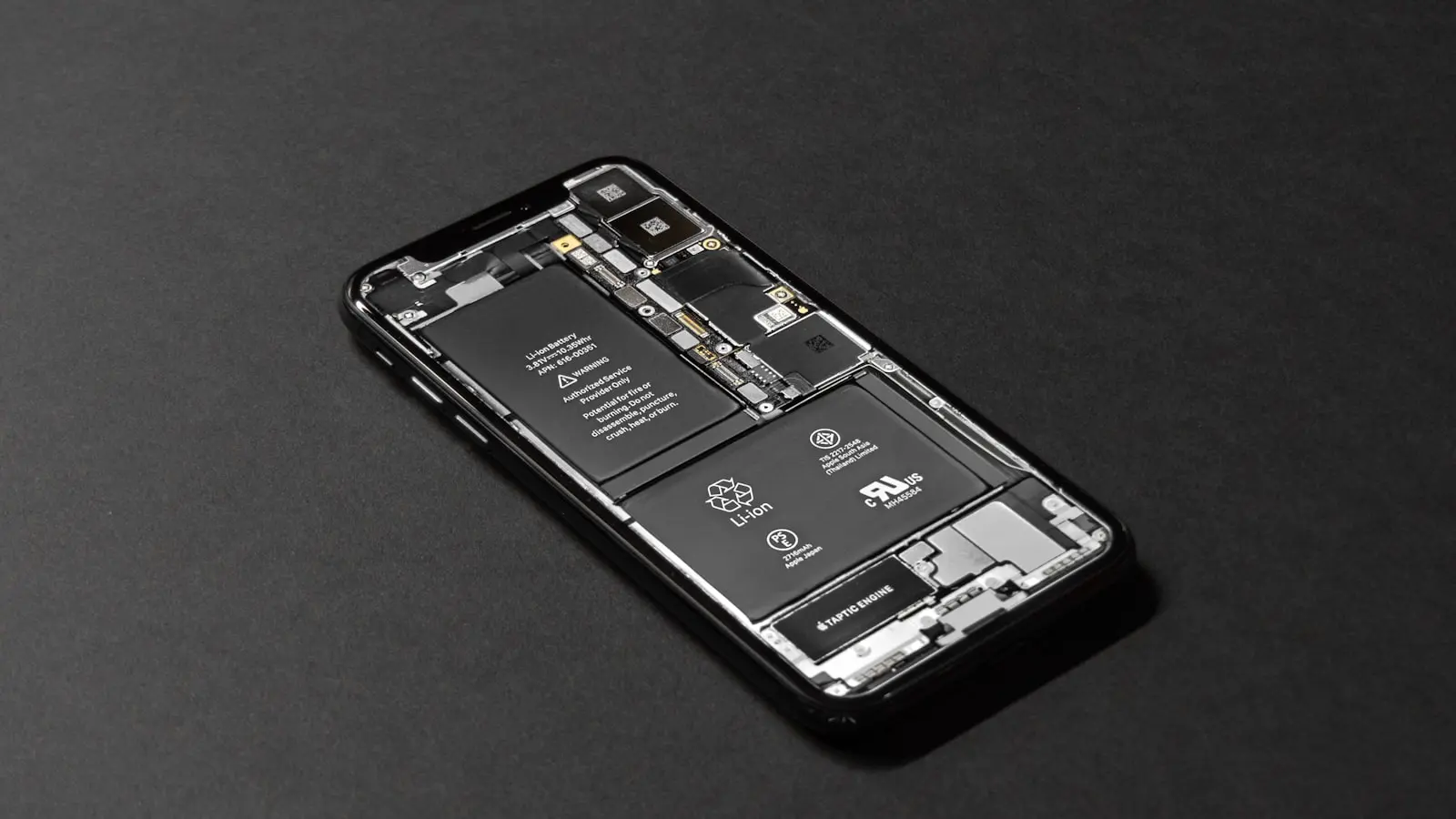
The Post-Update Battery Drain Phenomenon
Every major OS update brings a familiar chorus of complaints. Users flood Reddit threads on r/Android and r/iOS reporting their phones losing charge at an alarming rate. The immediate reaction is panic: “My battery was fine before the update. What broke?” The answer, as both Apple and Google explain in their support documents, is rarely a permanent defect. It is a temporary, intensive background workload.
Immediate Causes: Indexing, Syncing, and Optimization
Within the first 24–48 hours after installation, the OS runs several resource-heavy tasks. These include reindexing files for Spotlight Search, re-syncing accounts (iCloud, Google Drive), and reprocessing app caches. Modern phones also run background neural engine calibrations for features like on-device Siri or Google Assistant. These processes push the CPU and GPU into sustained activity. The result? Higher idle drain. (Apple explicitly notes this in its iOS update troubleshooting page. Google’s Android documentation says the same.)
The scale of work depends on the size of the update. A point release (e.g., iOS 17.0.1) may only take a few minutes. A major version jump (e.g., Android 14 or iOS 18) can require hours of background processing. During this window, normal battery capacity drops by 20–30% compared to steady-state usage. (Yes, that sounds drastic. But it is temporary.)
Users often mistake the sudden discharge for a hardware failure. In reality, the phone is doing more work than it usually does while you are not actively using it. The drain is most noticeable overnight when the phone is idle. That 80% charge at bedtime becomes 50% by morning for many users. (Thankfully, this normalizes.)
Android vs iOS: Different Recovery Curves
Both platforms suffer from this initial dip. However, the recovery trajectory differs due to software control. On iOS, Apple tightly manages background processes. The indexing runs in a single batch and finishes within roughly 48 hours. On Android, background activity is spread across system services like Google Play Services, which handles multiple tasks simultaneously. This can lead to a longer tail of drain, as the system continues to optimize app compatibility in the background.
A 2024 Reddit thread on r/Android with over 5,000 upvotes highlighted a common workaround: recalibrating the battery by fully draining it to zero and then charging to 100%. (Is this actually effective? Modern lithium-ion batteries do not need calibration. The act of draining and recharging does not fix software-level drain. However, it does reset the battery gauge, which may make the reported percentage feel more accurate.) The broader consensus on both subreddits is to wait a few days before taking drastic steps. (Factory resets are a last resort.)
When to Worry: Persisting Drain Beyond One Week
If the battery drain continues past 7 days, the cause is likely not background indexing. The prime suspects are app incompatibility or a corrupted update. An app that has not been optimized for the new OS can remain stuck in a high-power state. Check battery usage statistics in Settings. Look for apps consuming disproportionate energy for background activity. (Google Play Services and Apple’s system services are often falsely blamed. They are usually innocent.)
Another common culprit is a failed update installation. A partial or corrupted file can cause background daemons to loop continuously. The fix: a full restart (not a shutdown) or resetting all settings. On iOS, go to Settings > General > Transfer or Reset iPhone > Reset All Settings. On Android, use Settings > System > Reset Options > Reset Wi-Fi, mobile & Bluetooth (though resetting all settings may be broader). These steps clear configuration conflicts without erasing user data. (A factory reset should be the absolute last action.)
The Cost of Performance Promises
OS vendors push updates to deliver security patches and new features. They trade short-term battery pain for long-term stability. Users rarely see this trade-off explicitly. Apple and Google have a clear incentive to prioritize feature adoption over transient battery life. (Frankly, a 48-hour drain window is an acceptable cost for a more secure device.) The real problem is communication. Users are not told that the phone will work harder for a day or two. The silence breeds frustration. A simple notification stating “Your phone is working in the background to optimize. Battery life may decrease for 24 hours” would defuse much of the anger.
Long-Term Battery Health Considerations
Post-update drain does not cause permanent damage to battery chemistry. Lithium-ion cells degrade through cycles and heat, not through short bursts of high workload. The only risk is if the phone overheats during the indexing phase. (I have seen users leave their phones on chargers in direct sunlight during the update. That is the real threat.) If your phone feels warm to the touch, remove any case and place it in a cooler area.
For users who experience persistent drain after a month, the problem is likely not the update itself. App misbehavior, battery age, or hardware failure becomes the more probable cause. A full discharge-recharge cycle can sometimes reset the battery monitoring chip. But if the drain continues, a battery replacement may be necessary.
Practical Steps for the First 48 Hours
Do:
- Keep the phone connected to Wi-Fi during the first night to prevent mobile data searches.
- Close all apps after the update—do not rely on background refresh.
- Restart the device once after 24 hours to clear residual cache.
Do not:
- Perform a factory reset immediately. This only re-triggers the same background workload.
- Drain the battery to zero repeatedly. It does not help and adds unnecessary cycle wear.
- Blame Google Play Services or Apple System Services without checking actual energy usage figures.
In the end, post-update battery drain is a predictable, transient event. The phones are not broken. The software is just catching up to itself. Wait 48 hours. If the problem persists, then start looking for deeper issues. Until then, the most effective action is patience. (Though I know that is hard when your phone dies by lunch.)