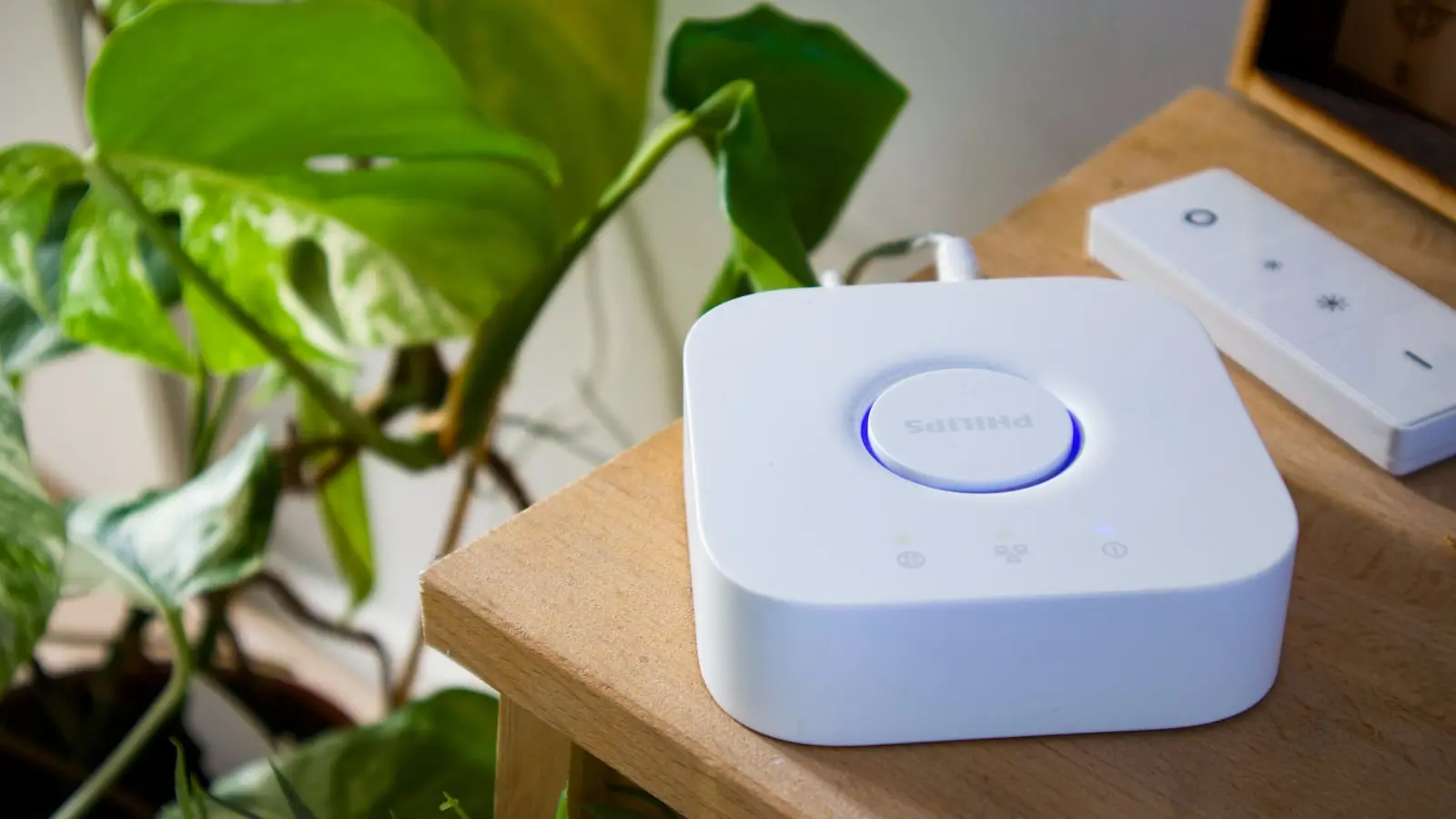
The most dependable smart home devices without cloud access are usually physical switches and relays, Zigbee or Z-Wave devices connected to a locally operating hub, and climate controls with useful on-device settings. Matter devices can also be strong candidates, but a Matter badge does not prove every feature will work offline.
The key distinction is between controlling a device inside your home and accessing it from anywhere. A well-planned local control smart home can keep lights, sensors, plugs, schedules, and basic heating controls working during an internet outage. Remote app access, voice assistants, push alerts, weather-based routines, cloud video history, and AI analysis are much more likely to stop.
Key Takeaways
- Physical controls are the best fallback: prioritize switches, keys, keypads, and thermostat displays for essential functions.
- Zigbee and Z-Wave devices can work well offline when their hub and automations run locally.
- Matter and Thread can support local operation, but neither label guarantees that every feature works without internet access.
- Cameras and video doorbells are the weakest fit for fully offline use because alerts, remote viewing, and video analysis often depend on cloud services.
- Test one device and one automation with internet disconnected before building out an entire system.
What “Works Without the Cloud” Actually Means
“Offline” is used loosely in smart-home marketing. A device may still work manually while its app stops working. It may accept commands from a local hub while losing notifications, remote access, and activity history. Those are different levels of resilience.
Start by separating four capabilities.
Manual control means a person can operate the device physically. A wall switch can turn on a light, a thermostat can change the temperature from its display, and a smart lock can be opened with a key or keypad. This is the strongest fallback because it does not depend on a network, app, or account.
Local network control means a phone, bridge, hub, or controller can communicate with the device over the home network while the internet connection is unavailable. The router, Wi-Fi access point where relevant, device radios, and controller must remain powered.
Local automation means schedules and rules run inside the home. A motion sensor may turn on a hallway light, for example, or a leak sensor may activate a local siren. For that to work during an outage, the automation must run on the device, bridge, hub, or local controller—not in a vendor cloud account.
Remote and cloud features depend on services outside your home. Common examples include away-from-home control, push notifications, voice assistant processing, weather-triggered scenes, geofencing, cloud video storage, and some advanced camera detection features.
An internet outage is also different from a power outage. Local automation cannot run if the router, hub, controller, or device loses power. A UPS can keep essential networking equipment and a controller running through a short interruption, but it does not make mains-powered devices immune to a larger outage.
Best Smart Home Device Categories for Local-Control Reliability
This ranking reflects the likelihood that essential in-home functions can remain available. It is not a promise that every device in a category is cloud-free. The exact model, firmware, hub, controller, and app still determine the result.
1. Smart switches, dimmers, and relays with physical controls
Smart switches, dimmers, and relays are the best starting point for an offline smart home. Basic lighting remains usable even if the app, hub, or automation fails because a physical wall control is still available.
Favor products with documented local LAN control, Matter, Zigbee, Z-Wave, or a confirmed local-controller integration. A relay installed behind a conventional wall switch can be especially practical because household members and guests can still use the familiar switch.
The trade-off is installation complexity. Some devices require a neutral wire, support only certain lighting loads, or need safe access inside an electrical box. Use a qualified electrician when the work exceeds your experience or local requirements.
2. Zigbee or Z-Wave sensors, plugs, and lights with a local hub
Zigbee and Z-Wave are often good choices for offline smart home devices because they are low-power mesh protocols commonly paired with dedicated hubs. When the hub runs automations locally, it can keep sensor events, commands, schedules, and simple routines inside the home during a WAN outage.
This setup works well for motion-triggered lights, contact sensors, temperature sensors, smart plugs, and leak detection with an audible local response. A water sensor that can trigger a siren or a local shutoff routine is more useful during an outage than one that only sends a cloud notification.
The hub is the deciding factor. A Zigbee or Z-Wave radio does not automatically mean every automation runs locally. Some hubs process rules on-device, others rely on a cloud account for certain routines, and some divide tasks between local and cloud services.
3. Matter devices with a local Matter controller
Matter is designed to improve interoperability among smart-home platforms. Matter devices can communicate over IP networking, including Wi-Fi, Ethernet, and Thread, and local control can be part of the experience.
However, Matter is not a blanket offline guarantee. A manufacturer may expose basic controls—such as on/off, dimming, temperature adjustment, or locking—through Matter while keeping advanced settings, diagnostics, history, scenes, or AI features inside its own app or cloud service.
Before buying Matter Thread devices, verify the exact product category and controller you plan to use. Confirm that the controller supports the device type and that the functions you care about are available locally. Firmware and platform support can change over time, so the Matter logo should be the start of your research, not the end of it.
4. Smart locks with mechanical fallback access
Smart locks can fit a local control smart home, but they deserve more caution than lights or plugs. Prioritize a physical key, keypad, or another clearly tested backup method so entry does not depend on Wi-Fi, an account, or a working hub.
Check each capability separately. A lock may support local locking and unlocking but require cloud access for guest-code management, event history, remote alerts, or sharing access with others. Battery behavior, low-battery warnings, and emergency entry options matter as much as the smart features.
Because locks control access to a home, timely security updates and sound local-network practices are important. Keep a non-digital entry plan and test it before an emergency.
5. Thermostats and local climate controls
A thermostat remains useful without cloud access when manual temperature adjustment and schedules live on the device. That preserves basic comfort even if app control, utility programs, weather-aware adjustments, and cloud optimization features disappear.
Do not assume every smart thermostat works this way. HVAC compatibility depends on wiring, equipment type, and model-specific behavior. Confirm that the display, controls, and local scheduling meet your needs without an active account or internet connection.
For essential climate control, simpler can be more resilient. A thermostat that maintains a local schedule may be more valuable during an outage than one with a sophisticated cloud dashboard but limited on-device controls.
6. Cameras and video doorbells
Cameras and doorbells are the weakest category for fully offline expectations. Some models may provide local storage, local live viewing, or local processing, but these are separate capabilities that need confirmation for the exact model.
Remote live view, push notifications, off-site backup, person detection, package detection, and searchable video history commonly depend on cloud services. Local recording may preserve footage, but it does not necessarily provide remote alerts or away-from-home access.
Decide whether a camera still meets your needs if cloud features disappear. If it does not, treat it as a convenience service rather than the foundation of a security plan.
Matter, Thread, Hubs, and Apps Explained
Matter is an application-layer interoperability standard. It can help compatible controllers and devices work together, but it does not dictate every manufacturer-specific feature or guarantee local execution for all functions.
Thread is a low-power mesh networking technology. It can help battery-powered devices communicate around a home, but Thread alone does not define automation logic, app behavior, or cloud dependencies. Thread devices generally need suitable border-router support to join the wider IP network.
Zigbee and Z-Wave are also mesh protocols, typically coordinated through a hub. Their potential for local control is strong, but the outcome depends on the selected hub and automation engine. If rules execute locally, a motion sensor can still turn on a light when internet service is unavailable.
Wi-Fi devices are neither automatically local nor automatically cloud-dependent. A Wi-Fi product may offer a local API or direct LAN control, or it may be built almost entirely around a manufacturer account and app. Check the documentation rather than assuming the radio technology determines the result.
Hubs and bridges vary widely. A vendor bridge may retain basic control for its own devices. A multi-protocol hub may support several standards. A self-hosted local controller, including setups using Home Assistant compatible devices with genuinely local integrations, can provide broad control without routine cloud dependence. It also adds responsibility for maintenance, backups, and troubleshooting.
Buying Checklist for Offline Smart Home Devices
Before buying, look for clear wording in official documentation: local control, LAN control, local API, on-device control, or local automation. Vague compatibility claims do not answer the central question: what still works when the internet is gone?
Verify the following:
- Whether an account is required for setup, normal use, or firmware updates.
- Whether a subscription unlocks a feature you consider essential.
- Whether the hub or bridge continues controlling paired devices without WAN access.
- Whether schedules and automations run locally or in a cloud account.
- Whether the manufacturer publishes a security-update policy or support commitment.
Build a fallback path for each critical function. Lights should have physical switch operation. Locks need a key, keypad, battery plan, and emergency access method. Climate controls need an on-device display and manual settings. Sensors should trigger a local response, such as a siren, dashboard, or automation, rather than relying on notifications alone.
Test one device before expanding. Create a simple automation, such as motion turning on a light. Then disconnect the router from the internet while keeping local networking equipment powered. Test manual control, local commands, schedules, automations, and recovery after reconnection.
Document the result. Record models, firmware versions, pairing methods, hub dependencies, fallback access methods, and which routines rely on outside services. This makes replacement and troubleshooting far easier when a controller, storage device, or integration fails.
Privacy, Security, and Maintenance Trade-Offs
Smart home privacy can improve when routine control and automations remain inside the home. Less dependence on vendor servers can reduce unnecessary exposure of occupancy patterns, sensor events, and device usage.
That does not mean local devices never contact the internet. They may still use time synchronization, check for updates, require online setup, or offer optional remote services. Privacy depends on device behavior, settings, account requirements, and network configuration—not simply on the word “local.”
A local-first setup shifts more responsibility to the owner. You must maintain the controller, router, storage, backups, batteries, and firmware. Security updates matter, especially for locks, cameras, and internet-connected hubs, but changes should be reviewed carefully because updates can alter features or integration behavior.
Where practical, place IoT equipment on a separate network segment, use strong unique credentials for any retained remote access, and disable remote features you do not need. Local control reduces dependency; it does not make a smart home maintenance-free.
The practical rule is simple: use locally executed controls for comfort- or safety-critical basics, then add cloud features only when their convenience is worth the service dependency and data exposure. Start with lighting, plugs, sensors, and climate controls with physical fallbacks. Treat locks as a carefully planned access system, and evaluate cameras separately because their most valuable functions often rely on remote services.
FAQ
Do Matter devices work without internet access?
They can support local control when paired with a suitable local Matter controller and a powered home network. Matter does not guarantee that every feature works offline, so confirm which functions are available through your chosen controller and which require the manufacturer app or cloud service.
Will Zigbee or Z-Wave devices work when Wi-Fi or internet fails?
They can continue working if their hub, automation engine, and device mesh remain powered and the hub executes commands locally. Wi-Fi failure may not affect the Zigbee or Z-Wave mesh itself, but it can affect app access if your controller relies on Wi-Fi for local communication.
How can I tell whether an automation runs locally or in the cloud?
Check platform documentation for terms such as local automation, on-device execution, LAN control, or offline operation. Then test it: keep the router and hub powered, disconnect internet service, and confirm the automation still runs. A successful outage test is more useful than a compatibility logo.